A workflow closer to Windows
Taskbar layout, window-level buttons, and familiar interactions reduce the learning curve when you move from PC to Mac — without fighting an app-centric Dock.
macOS utility
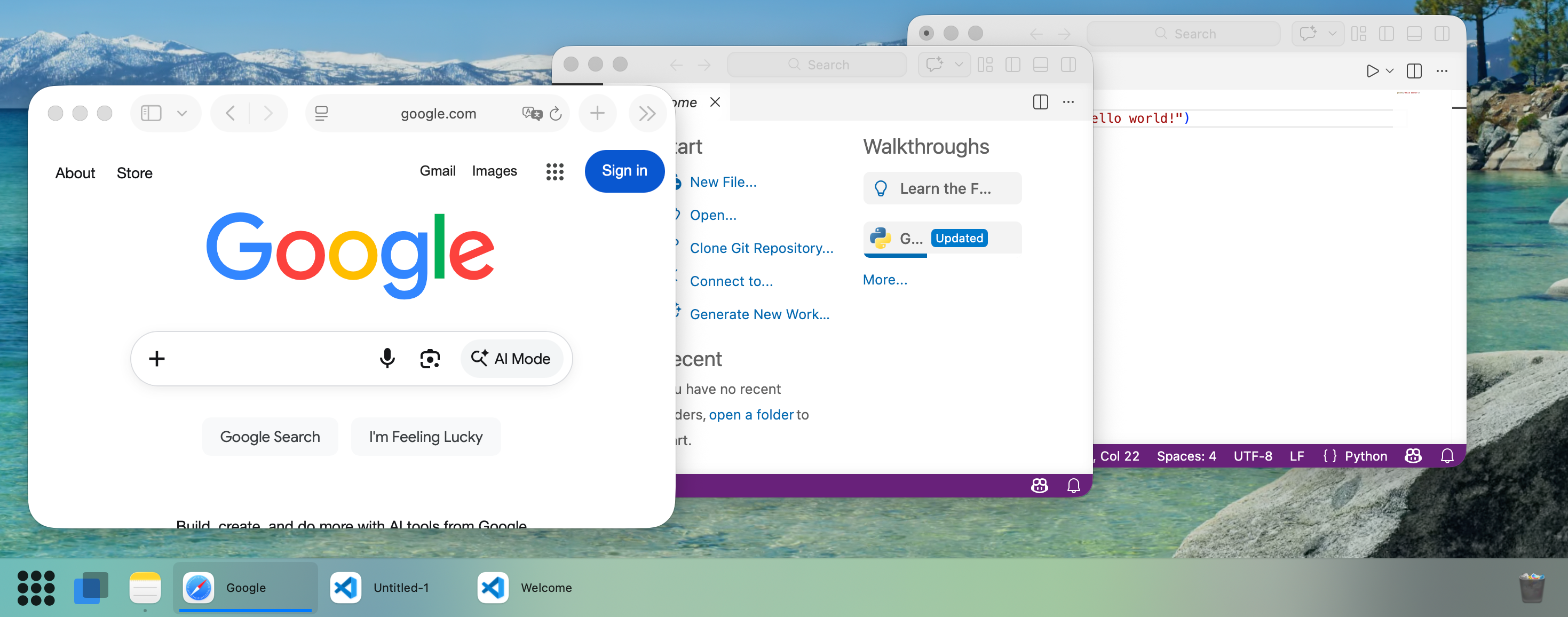
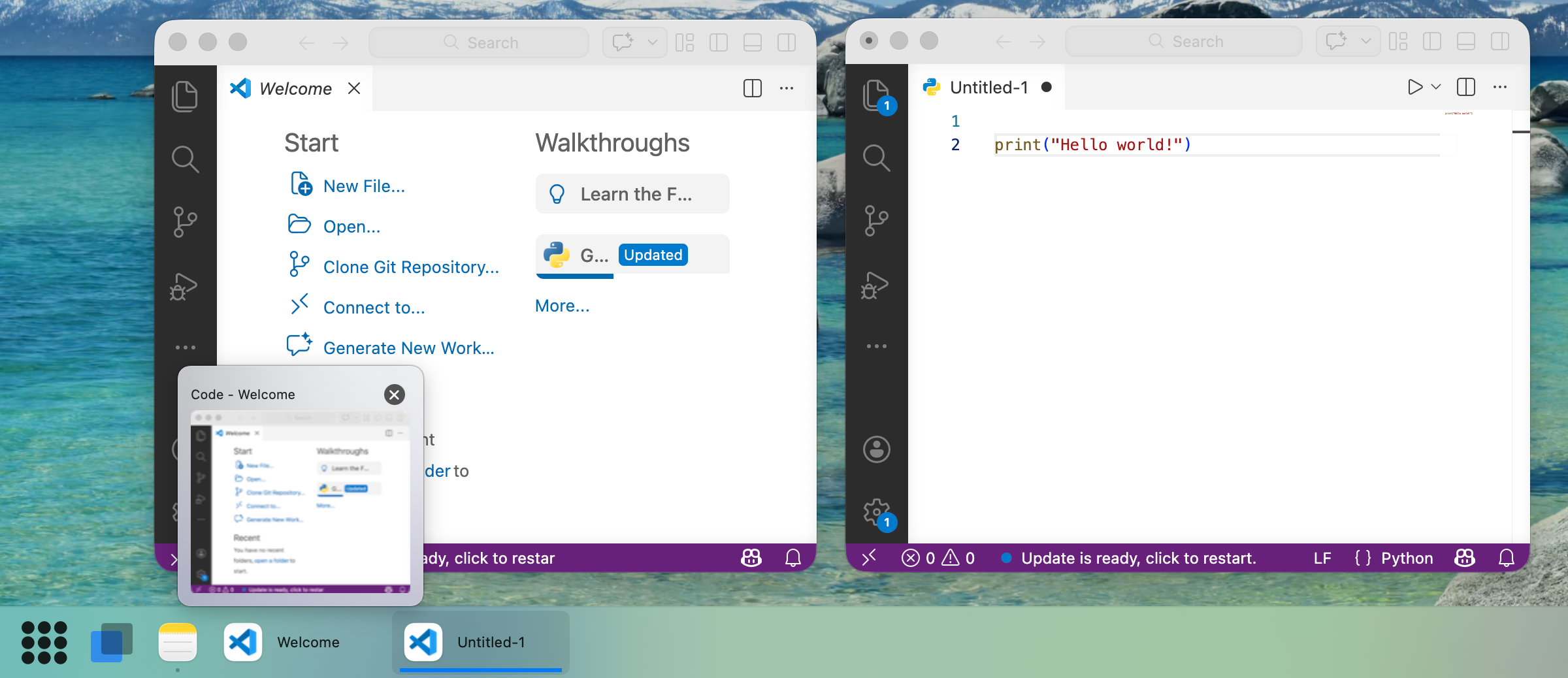
NaviDock keeps a separate taskbar button for each window, so multi-monitor workflows are not ruined when macOS brings every window of an app to the front. Familiar taskbar habits for people moving from Windows.
Why NaviDock
Native macOS materials and APIs, with taskbar-style window management where the system Dock falls short.
Taskbar layout, window-level buttons, and familiar interactions reduce the learning curve when you move from PC to Mac — without fighting an app-centric Dock.
macOS groups work by app: clicking a Dock icon often activates that app’s windows on every display. NaviDock maintains an independent button for each window, so you can work on different apps on different screens.
Features
Native integration, appearance that follows the system, and practical daily-use details.
Manage focus per window, not per app — multi-screen workflows stay predictable.
Real macOS materials and Accessibility APIs — not a theme skin or a wrapper.
Hover any window button for a preview before you jump.
Keep frequent windows or apps one click away.
Stay focused on the current Space with less noise from others.
Launch apps and manage background runners from a familiar entry point.
A taskbar trash can: drag files to delete or empty the bin (requires Automation permission).
Click the focused window’s button again to minimise.
Hide window titles, show icons only, and group by app for a compact bar.
Light and dark follow macOS so the bar feels at home.
More details will ship with final marketing assets. Feedback welcome on GitHub Issues.
FAQ
Basic ($9.9) — continued use of the current major version you purchased, plus minor updates and security fixes for that major line. Does not include future major versions.
Pro ($19.9) — all major and minor updates released during the product’s supported lifetime.
Both are one-time purchases with no subscription.
If you hit the limit, deactivate an older Mac from My Account.
Grant permissions via the menu bar NaviDock → Permission check or in System Settings.
Pricing
One-time purchase, without a subscription. 14-day money-back guarantee.
Enter your email for a 7-day trial license.